SaturnCI is a continuous integration (CI) platform I built. It's roughly analogous to products like CircleCI or GitHub Actions. To summarize in a sentence what SaturnCI does, it runs your tests in the cloud.
Any tool that runs jobs for you is of course going to need to show you your log output, preferably in real time. When I started building SaturnCI, one of the first things I had to figure out was how to build real-time log streaming. Here's how I did it.
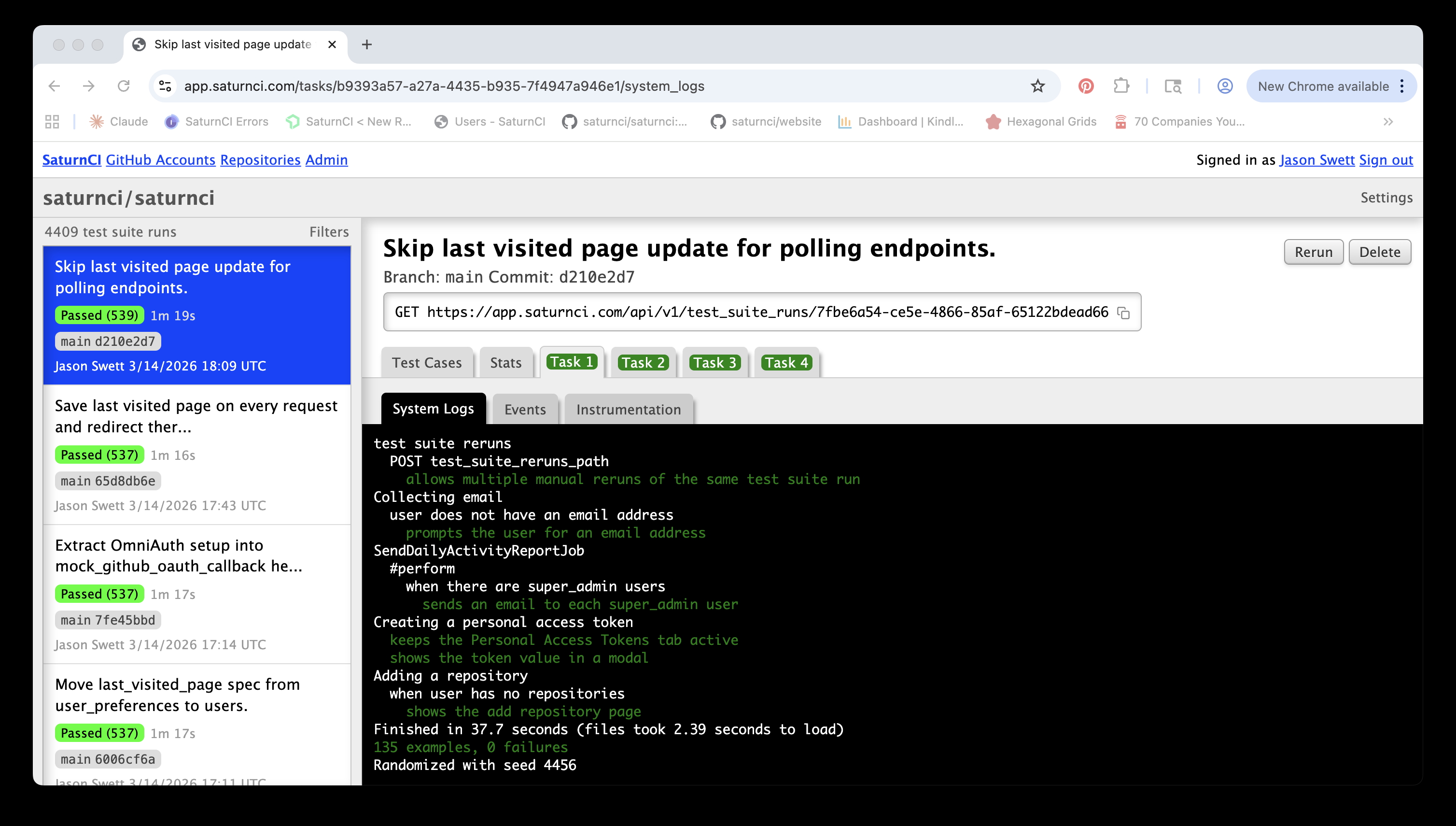
As always with any large and ambiguous problem, I began by breaking the problem down into sub-problems in order to make it more tractable.
Breaking down the problem
The architecture of SaturnCI is that tests get executed on ephemeral worker machines, which are separate from the web servers that host the SaturnCI web application. I decided to break down the log streaming challenge into two fundamental parts.
- How do I get log content from the workers to the web servers?
- How do I get log content from the web server to the browser?
This mental separation was useful, although I didn't tackle these two sub-problems serially. In fact, I rarely do. Usually I aim to get a very low-fidelity version of all the sub-problems working so that I have the entire chain of sub-problems solved from a very early point in the project. Some people call this a steel thread approach. I arrived at my steel thread solution by asking myself a classic question.
"What's the simplest thing that could possibly work?"
For the first iteration of this feature I decided to say to heck with real-time streaming, I'll just wait until the whole test suite run is finished and send the logs in one big chunk. I suppose this represents an additional subdivision of the problem:
- How do I get log content from the workers to the browser at all?
- How do I get log content from the workers to the browser in real time?
Remember, there are two legs of the trip from worker to browser: first the log content has to get to the web server, then from there it has to get to the browser. (Creating a direct channel of communication between the workers and the browser would create duplication and make the system less modular.)
To get the logs from the worker to the web server, I used a
curl command with Basic HTTP authentication. Credentials?
Hard-coded. On the web side, I didn't use cloud storage, I just stuck the
content right in the database because that was the simplest thing to do.
To get the logs from the web server to the browser, I simply crapped out
the content to the screen and wrapped it in a pre tag.
This all might sound stupid, by the way, since I know from the beginning that my solutions won't work out in the long run. I'm building the solutions twice: once the expedient way, then once the right way. Why not just do it the right way from the beginning instead of doing double the work?
The reason I'm choosing to pay this extra price is to mitigate risk. Imagine for example that all the movie theaters in the world get taken over by thugs. (Don't think it couldn't happen.) You can either pay $20 to see a movie plus an extra "thug tax" of $30 (total cost $50), or you can try to sneak past the thugs which half the time, ends in no tax ($20 total instead of $50), but half the time ends in getting a $500 "fine" (on top of the $20 you already paid, making a total of $520) plus getting your ass kicked so bad you can't limp back to the theater for a whole week. Ouch. The options are thus:
- Pay-up policy: guaranteed cost of $50 per movie
- Sneak-past policy: average cost of ($20 + $500 = $520) * 0.50 = $260 per movie, plus an average of half an ass kicking and half a week of delay per movie
- Organize the Great Moviegoer Uprising of 2026 and take back our theaters
The third option appeals to me personally, but from a pure cost perspective, it's far better to just pay the damn thugs. That's what I'm doing when I choose to pay the "tax" of sticking the log content straight in the database even though I know that's not what I'm going to want in the long run. I'm choosing the guarantee of a small cost instead of the risk of a large one. The price I pay on average then is smaller.
How do we make the logs update in real time?
Here's what we have working at this point:
-
Log content gets sent from worker to web server, in one single
chunk, using
curland hard-coded Basic HTTP authentication - Log content gets saved to the main database by the web server
- Log content gets shown in the browser in raw form
In any project I always try to work on the hardest and most mysterious work first. The most uncertain question in the very beginning, at least to me, was how the logs would make the trip from the worker to the web server to the browser. Now that that's sorted, what's the most mysterious thing now?
It's not migrating from hard-coded Basic HTTP authentication to something more production-ready. That's just gruntwork. It's not moving log storage from the database to the cloud. That's gruntwork too (and arguably premature optimization). Nor is it formatting and styling the log output, yet more gruntwork. I think the most mysterious part to me is the actual streaming part of the log streaming. How do we do that?
When I first built this feature, my naive first guess at how real-time log streaming might work was something like the following (in pseudo-bash):
while true; do
  LOG_CONTENT=$(cat log.txt)
  curl https://www.saturnci.com/api/v1/test_suite_run/123/logs $LOG_CONTENT
  sleep 5
done
This first pass doesn't try to be efficient. It reads in the entirety of the logs and then sends the whole thing off to the server. A nice part about doing it this way is that the server-side code doesn't even immediately have to change. It will just save to the database whatever log content it's given, and then I can repeatedly refresh the page to see the log content come through in real time.
This version of streaming is clunky as hell, and it's a far cry from what I ultimately want, but it's a small and un-risky piece of work which can get the feature meaningfully closer to the ultimate goal. As a matter of fact, even though this implementation of real-time log streaming is almost absurdly shitty, it is, nonetheless, real-time log streaming! The work from here on out doesn't consist of profound mystery-solving; it merely consists making the log streaming incrementally less crappy. That's exactly the way I wanted building this feature to work out.
Real-time updates without refreshing the page
Time to again take stock of what we have:
- Log content gets sent from worker to web server, the whole log file being sent all at once, but at 5-second intervals during the execution of the test suite run instead of just once at the end
- Log content gets saved to the main database every 5 seconds by the web server (thanks to the worker hitting the web server every 5 seconds)
- Log content gets shown in the browser in raw form and requires manual page refreshes in order to see current log content
The obvious next step is to make the browser fetch log updates automatically so that new log content shows up without having to refresh the page. My first solution to this was to use Turbo Stream broadcasts, but I later realized that broadcasting the log content is illogical and wasteful.
The problem with broadcasting is that if the user has, say, three test suite runs running concurrently, then my web server broadcasts log updates for all three of those test suite runs every time an update comes in, even though the user is unlikely to be watching the real-time output of more than one test suite run at a time. For any test suite run whose logs the user is not watching, any log broadcast sent is a waste of resources.
The solution to this is simple: change the push to a pull. (Or, to use the more precise terms, switch from broadcasting to polling.) Instead of making the web server say, "Hey, all you test suite runs in the browser, I have new log content for you!" make the browser say, "Hey web server, I'm looking at test suite run X. Is there any new log content specifically for test suite run X?" This way, a test suite run's log content gets sent if and only if someone has a browser tab open for that specific test suite run. Switching to polling had a double advantage: it was both conceptually simpler and significantly better for performance.
How do we send only the new content?
Sending the entirety of the log file every five seconds technically works but it's not very efficient. Here's what I did to send only the new part of the content. The original code for this was actually written in bash, but the entirety of the worker code eventually got complex enough that I decided to give up my stupid push-and-pray dev cycle and start using Ruby and TDD instead. So here's the Ruby version.
most_recent_total_line_count = 0

loop do
  all_log_lines = File.readlines(@log_file_path)

  newest_log_content = all_log_lines[most_recent_total_line_count..].join("\n")
  send_content(newest_log_content)

  most_recent_total_line_count = all_log_lines.count

  sleep(@wait_interval)
end
I always try to make my code clear enough that it doesn't require an explanation in English but I'll give one here anyway, just in case: every five seconds, see how many lines the full log is, ignore however many lines we've already sent, and send whatever remains.
I expected the only-send-new-content logic would be much more complex than this, but aside from two minor tweaks (namely, "don't fire a request when there's nothing new to send" and "don't continue to stream after the test suite run has ended), the code you see above is all that has ever been needed.
Auto-scrolling
At this point, log content gets sent from worker to web server, at five second intervals, one little bit at a time instead of all at once. There still remains some gruntwork to be done before we can say that the worker-to-web-server leg of the journey is production-ready, but we can at least say that the mysterious parts have been well-solved.
The mysteries of getting log content from web server to browser have also mostly been solved. Actually, this problem can be divided into two sub-problems: 1) getting the log content, when a web request is made, from the database to the request payload, and 2) turning the request payload into something optimally usable for the user. We have the first problem solved but not the second.
The biggest shortcoming, currently, is that the log content doesn't auto-scroll, meaning that after the viewport fills up, the newest log content is hidden. Conceptually, implementing auto-scrolling is pretty simple: just scroll to the bottom each time some new content comes in.
document.addEventListener("terminal-output:newContent", () => {
  this.element.scrollTop = this.element.scrollHeight
}
There are devils in the details though. What happens when the user manually scrolls up? Obviously we don't want to keep auto-scrolling to the bottom and make the user lose their place. And when the user scrolls back down to the bottom of the log viewer, the auto-scrolling should resume. This feature actually turned out not to be that complicated. Here's the full code for the Stimulus controller that controls scrolling.
import { Controller } from "@hotwired/stimulus"

const AUTOSCROLL_BOTTOM_THRESHOLD = 100

export default class extends Controller {
  connect() {
    this.scrollMode = "auto"
    this.autoScrollToBottom()

    document.addEventListener("terminal-output:newContent", () => {
      if (this.scrollMode === "auto") {
        this.autoScrollToBottom()
      }
    })

    this.element.addEventListener("scroll", () => {
      this.scrollMode = this.isAtBottom() ? "auto" : "manual"
    })
  }

  isAtBottom() {
    return (this.element.scrollTop + this.element.clientHeight) >= this.element.scrollHeight - AUTOSCROLL_BOTTOM_THRESHOLD
  }

  autoScrollToBottom() {
    this.element.scrollTop = this.element.scrollHeight
  }
}
There are two scroll modes: auto and manual.
When new content arrives (signified by the
terminal-output:newContent event), the user gets
automatically scrolled to the bottom—if and only if the current
scroll mode is auto. Otherwise, no action is taken.
When the user manually scrolls, we check to see if they're at the bottom
of the screen. If they are, then we set the scroll mode to
auto, and if they're not, we set it to manual.
"Bottom" is defined generously: if the scroll position is within
AUTOSCROLL_BOTTOM_THRESHOLD (which happens to be set to 100)
pixels of the bottom of the terminal output, then we consider the user to
be scrolled to the bottom.
If my memory is not failing me, I found that, without this buffer, there's a race condition where 1) the user scrolls to the bottom, then 2) new content appears, making it so the user is no longer scrolled quite to the bottom, then 3) the scroll mode is set based on whether the user is scrolled all the way to the bottom, which is always false.
I also remember, quite vaguely, that the scrolling buffer may have been instituted in order to account for imperfect scrolling. I could always verify that assumption by taking away the buffer and seeing if it creates any problems, but the current code literally works perfectly, so I'm willing to accept the fact that it might be ever so slightly more complicated than necessary.
Log content formatting
The biggest part of making the log content presentable was converting
ANSI to HTML. And I'll be darned if this wasn't a perfect use case for
AI. Here's the initial version of my ANSIToHTMLHelper.
Since Claude Code was not generally available until May of 2025, this
code, which was apparently committed on January 9th, 2024, surely must
have been copy-pasted out of ChatGPT. How quaint that seems today!
module ANSIToHTMLHelper
  RULES = {
    /\e\[0m/ => '</span>', # Reset
    /\e\[1m/ => '<span style="font-weight:bold;">',
    /\e\[32m/ => '<span style="color:green;">',
    /\e\[31m/ => '<span style="color:red;">',
    /\e\[33m/ => '<span style="color:yellow;">',
    /\e\[34m/ => '<span style="color:blue;">',
    /\e\[35m/ => '<span style="color:magenta;">',
    /\e\[36m/ => '<span style="color:cyan;">',
    /\e\[37m/ => '<span style="color:white;">',
    /\e\[\d+A/ => '', # Move cursor up
    /\e\[\d+B/ => '', # Move cursor down
    /\e\[2K/ => '',   # Clear Line
  }

  def ansi_to_html(ansi_string)
    html_string = CGI.escapeHTML(ansi_string)

    RULES.each do |ansi, html|
      html_string.gsub!(ansi, html)
    end

    html_string.html_safe
  end
end
Below is what ANSIToHTMLHelper looks like today. What a pile
of garbage! I have no recollection of creating this code, but I know it
was AI-generated because of the comments. (I personally only write
comments extremely rarely.) The thing is though, it's okay for this code
to be a mess, for two reasons. Take a little scroll through this piece of
shit and I'll meet you on the other side to tell you what they are.
module ANSIToHTMLHelper
  # Map ANSI code numbers to CSS styles
  COLOR_MAP = {
    "30" => "black",
    "31" => "red",
    "32" => "green",
    "33" => "yellow",
    "34" => "blue",
    "35" => "magenta",
    "36" => "cyan",
    "37" => "white",
    "90" => "gray",
    "91" => "brightred",
    "92" => "brightgreen",
    "93" => "brightyellow",
    "94" => "brightblue",
    "95" => "brightmagenta",
    "96" => "brightcyan",
    "97" => "brightwhite"
  }

  STYLE_MAP = {
    "1" => "font-weight:bold;",
    "4" => "text-decoration:underline;"
  }

  def ansi_to_html(ansi_string)
    return "" if ansi_string.blank?

    # First escape HTML to prevent XSS
    html_string = CGI.escapeHTML(ansi_string.to_s)

    # Remove cursor movement and clearing codes
    html_string.gsub!(/(\e|\#033)\[\d+[AB]/, "")  # Cursor up/down
    html_string.gsub!(/(\e|\#033)\[2K/, "")       # Clear line
    html_string.gsub!(/\#015/, "")                # Carriage return
    html_string.gsub!(/\x00|\^@/, "")             # Null characters

    # Process complex ANSI codes
    open_spans = []

    # Process complex formatting like [1;31m or [1;34;4m
    html_string = html_string.gsub(/(\e|\#033)\[([0-9;]+)m/) do |_match|
      codes = $2.split(";")

      # If it contains 0, close all open spans and reset
      if codes.include?("0")
        result = open_spans.map { "</span>" }.join
        open_spans = []
        result
      else
        styles = []

        # Process color codes
        color_code = codes.find { |c| COLOR_MAP.key?(c) }
        styles << "color:#{COLOR_MAP[color_code]};" if color_code

        # Process style codes (bold, underline, etc.)
        style_codes = codes.select { |c| STYLE_MAP.key?(c) }
        styles.concat(style_codes.map { |c| STYLE_MAP[c] })

        # Create span with combined styles
        if styles.any?
          span = "<span style=\"#{styles.join(' ')}\">"
          open_spans.push(span)
          span
        else
          ""
        end
      end
    end

    # Close any remaining open spans
    html_string += open_spans.map { "</span>" }.join

    # Wrap in divs by line
    wrapped_html_string = html_string.split("\n").map do |line|
      "<div>#{line}</div>"
    end.join("")

    wrapped_html_string.html_safe
  end
end
The first reason it's fine for this code to be nasty is that it's leaf
code: nothing depends on it. Provided I keep the
ansi_to_html(ansi_string) method signature the same, I could
literally delete every single line inside the method and rewrite it from
scratch and no external client would have the slightest inkling that I
did so. In fact, I'm sure that at some point I'll do exactly that.
The second reason I don't mind that this code is garbage is because
through the lens of
Blade Theory
this is a "dull blade" (i.e. a piece of code that's hard to understand
and work with) but it's a blade which we might not actually use again for
a very long time. If I sharpen a blade without having a specific reason
to believe that the cost of the sharpening will pay itself back, then I
risk making an investment that never pays off. That's why I usually
perform my
refactorings
just before I change a piece of code rather than at any other time. If I
try to change a piece of code and find that the change is difficult, then
that's concrete evidence that the code is a "dull blade" and that
sharpening it will pay off. The ANSIToHTMLHelper blade is
clearly dull as hell, but I might not need to cut with it again for
months or even years. When the day finally comes that I need to cut with
this blade, I'll sharpen it then, but no sooner.
Why did this work?
When I first resolved to climb Mount Log Streaming, I imagined it to be a steep and slippery edifice, but the application of classic tactics like breaking down the problem into sub-problems, seeking a "steel thread" solution, starting with the simplest thing that could possibly work, getting the feedback loop started early and working in small atomic increments of work, I climbed to the summit without ever mentally breaking a sweat. That's what these techniques do: they make hard problems dissolve.
I never brought it up in this post but I was boosted mightily in this project, as I am in every project, by test-driven development (TDD). My thorough test suite ensured that everything I got working stayed working, even when I made radical changes to the implementation. Since TDD always helps a programmer divide the what from the how and address each separately, thus lowering the overall mental burden at any given time, I was able to tackle the trickier parts of this project without ever having to think terribly hard. And I took great delight in the fact that I was able to run the test suite for SaturnCI on SaturnCI itself.
One way I think of AI is that it's like a "mental lubricant", reducing the friction in annoying little tasks that require intellectual gruntwork. I don't remember any single big boost that AI gave me during this project, but I know that it helped me because I've been using AI daily since sometime in 2023. I believe most if not all of this project was complete prior to that great inflection point called Claude Code General Availability, so any help that AI gave me during this project was just copy/pasting from ChatGPT, but that's still a lot more than nothing.
As helpful as AI is, it wasn't the key to success in this project, it was merely an (insanely powerful!) accelerator. What I believe allowed this project to succeed was the set of techniques described above, which have served programmers well for decades and which continue to serve us well today. I've found that when I combine the power of AI with the logic of good programming principles, almost any project is easy, quick, and fun.